


Review And Promotion
Persistent environments and CI & Review
Create long-lived shared environments, set up CI review routes, review merge events with QA evidence, merge in Console and promote the validated candidate.
Last updated
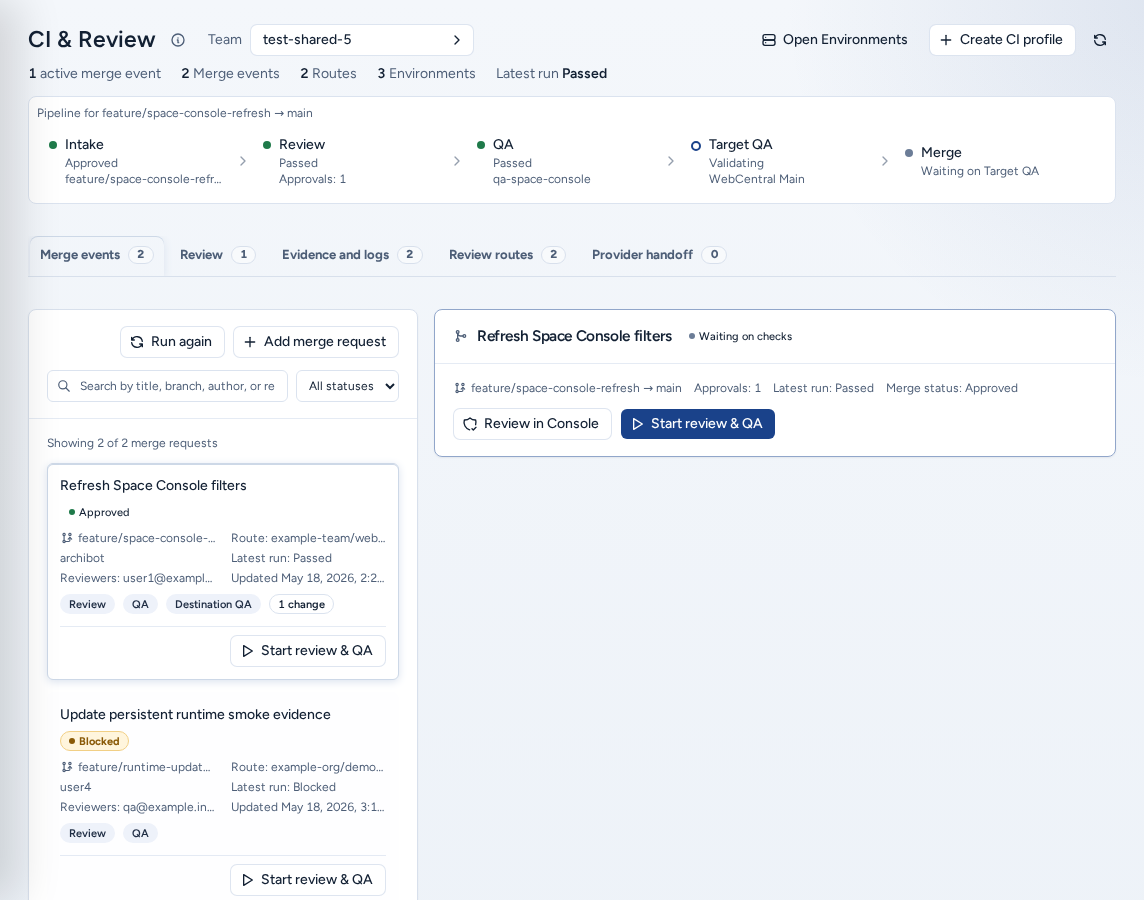
Environments (/environments) and CI & Review (/ci-review) are Console’s shared validation workflows. Use them when a team needs a long-lived QA, UAT, demo, staging or client-review runtime, and wants changes to pass code review and QA before they are promoted.
A persistent environment is not a personal workspace. It is a shared team runtime with its own policy, billing and event history. A CI workspace profile tells Console which review or QA runtime to use when a merge event needs browser, database or code-intelligence checks.
Who can see it
Both pages are under Ship in the navigation for everyone with a team: team members, team admins, and platform operators and admins. Your team’s policy decides who may create environments and CI profiles. If a create button is missing or refused, ask a team admin.
Before you start
- Connect the Git provider for the repository (Settings → Git Access).
- Have an approved database backup for the seed (Backups).
- Decide whether the route only checks the source branch or also targets a persistent environment. That choice changes which checks run.
Persistent environments
Persistent Environments (“Create and operate persistent workspaces for team environments”) lists the team’s environments with their queue, details and inspector. The (i) next to the title explains the page and links here.
Create a persistent environment
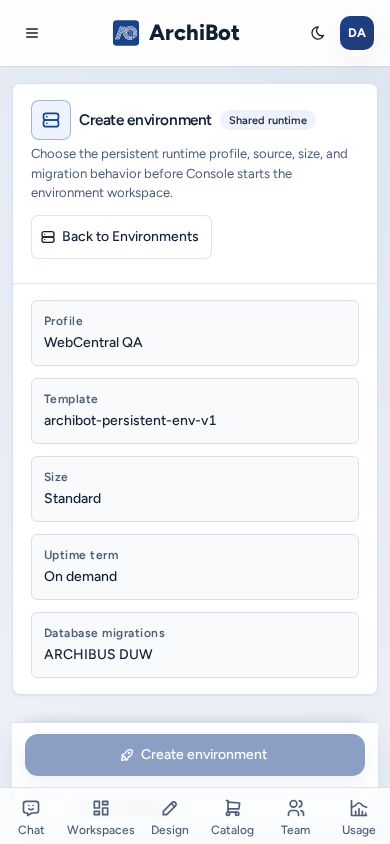
Choose Create environment (/environments/new). The wizard has four steps, Source, Runtime, Policy and Review, and a launch panel that lists anything still blocking.
- Source: the team, the environment name, the repository URL and the source branch. Console checks provider access. Turn on the repository stack when a runtime repository and a product repository must check out in order.
- Runtime: the persistent-environment profile, template family, workspace target and size. The profile sets the WebCentral version (Java, Gradle, Tomcat and the license bundle).
- Policy: the seed backup, exposure and database migration engine (Flyway, ARCHIBUS DUW or none).
- Review: check the plan, then choose Create environment. Uptime pricing for the term you choose is shown here.
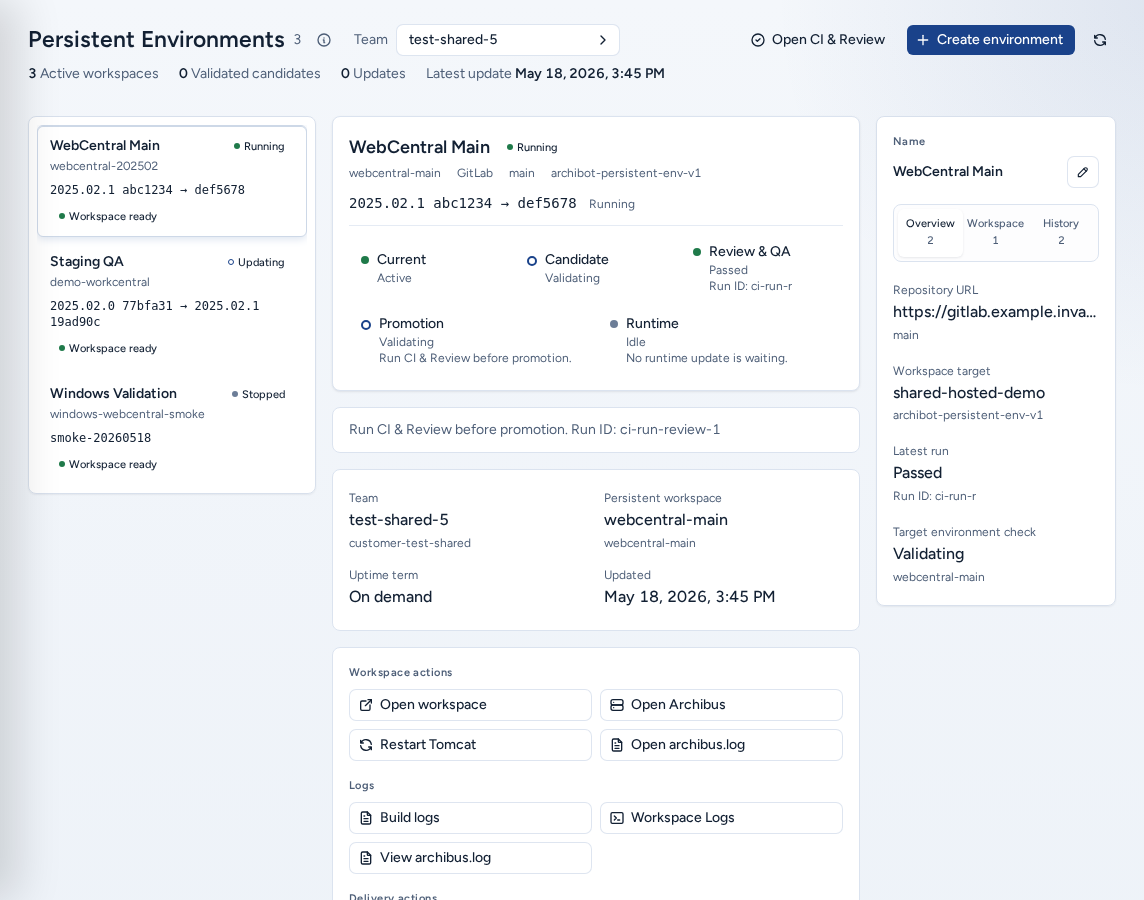
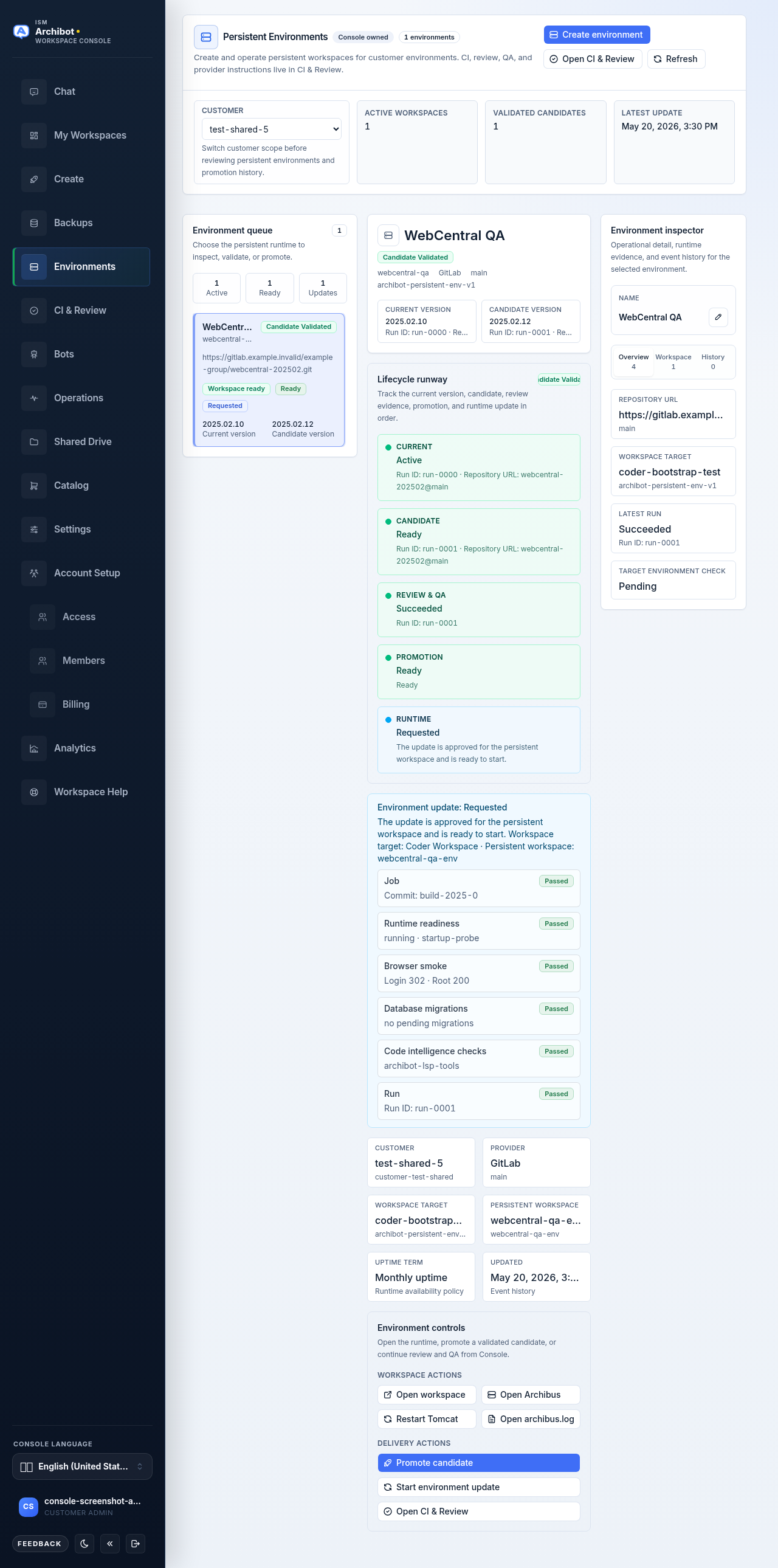
Console creates the record and starts the backing workspace. The environment then shows its persistent workspace, the candidate and current versions, the update state, runtime shortcuts and event history. Anyone who can see an environment can rename it with the pencil control. Renaming changes only the display name.
Runtime shortcuts
| Action | Use it when |
|---|---|
| Open workspace | You need the backing workspace’s editor or shell. |
| Open Archibus | You want the Tomcat /archibus application. |
| Restart Tomcat | You need a controlled Tomcat restart. |
| Open archibus.log | You need recent application log evidence. |
| Open CI & Review | You need the review, QA and promotion history for this environment. |
Update an environment in two stages
A shared environment is never restarted by accident:
- Request environment update approves the update but doesn’t touch the running environment yet.
- Start environment update starts it and waits. The state moves to running, then applied.
CI & Review
CI & Review (“Work through merge events from intake to approval, workspace QA, target environment validation, and a human merge”) is where changes are reviewed and merged. The (i) next to the title explains it and links here.
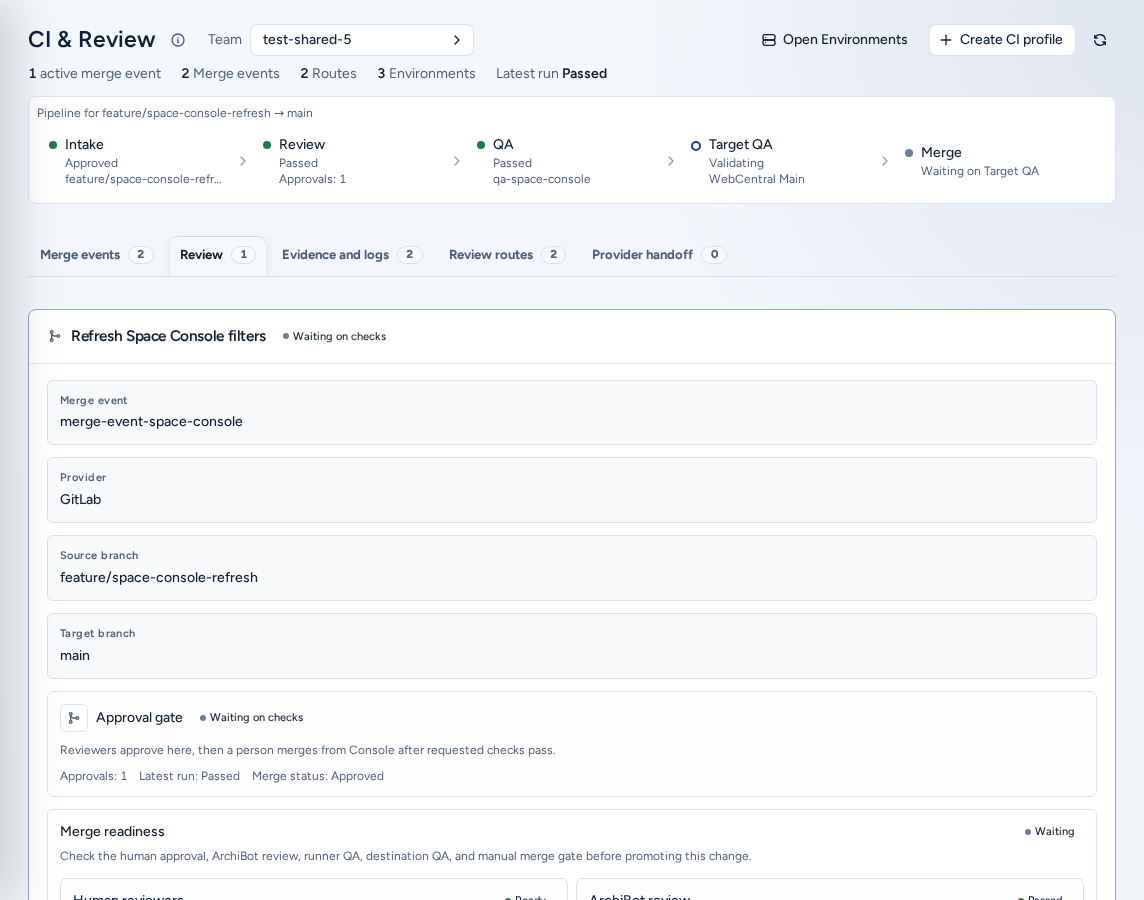
A workflow strip shows the stages for the selected merge event: Intake, Review, QA, Target QA and Merge. Below it are five tabs, each with a count:
| Tab | What it holds |
|---|---|
| Merge events | The review queue: every merge event from webhooks, workspace handoffs or manual registration. |
| Review | The selected merge event (Review in Console): branches, reviewers, stacked changes, and the controls to start review and QA. |
| Evidence and logs | Run details, the stage timeline and sanitized log lines. |
| Review routes | Saved CI workspace profiles. Load a route’s provider setup or start a run. |
| Provider handoff | The provider connection, webhook and pipeline details for the selected route. |
Create a CI workspace profile
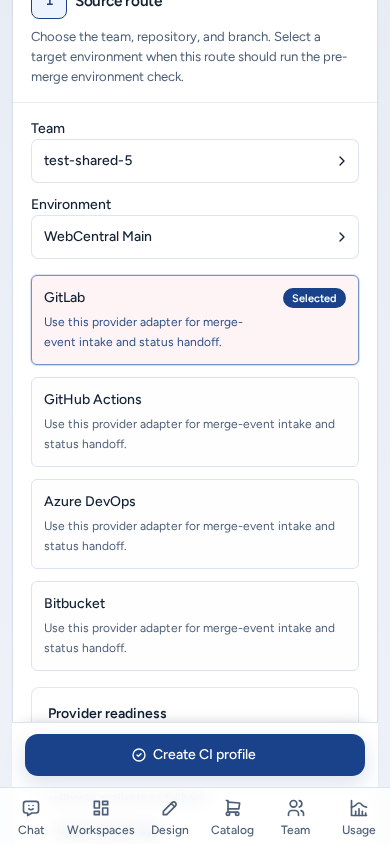
Choose Create CI profile (/ci-review/workspaces/new). The steps are Source route, Workspace runtime, Run policy and Review and create.
- Source route: team, provider, repository, branch and, optionally, a target environment. A target environment turns on the destination check.
- Workspace runtime: review, QA, review plus QA, or destination QA, plus the CI template, target and size.
- Run policy: retention, artifacts, which stages run, QA scope, migration engine, WebCentral version profile and database backup.
- Review and create: check the grid, then choose Create CI profile.
A profile is route metadata, not a personal workspace. Console uses it when a merge event needs a review or QA workspace.
Set up the provider handoff
On Provider handoff, load a route, then:
- Save a managed connection using an approved credential reference. Console only shows a preview after saving.
- Rotate credential or Revoke credential.
- Install webhook, Reconcile webhook or Remove webhook.
- Check connection before relying on the route.
Never put provider tokens in route names, descriptions or QA notes.
Implementation review
Implementation review is how a planned change, often an issue approved in Design, becomes merged code:
- A developer implements the issue in a workspace and pushes a branch.
- The change arrives in Merge events from the provider webhook, a workspace handoff or manual registration.
- In Review, check the source and target branches, the provider link, the reviewers and the stacked changes. Assign reviewers and add notes.
- Choose Start review & QA. ArchiBot review looks at the code, stacked diffs, missing tests and risky paths. Runner QA gathers execution evidence: browser smoke tests, database checks, test commands and workspace logs. See Console Bots.
- Follow the workflow strip and Evidence and logs. Use Cancel run to stop a run.
Merge in Console becomes available only when:
- a reviewer approval is recorded,
- the requested code review passed,
- the requested runner QA passed, and
- if a target environment is selected, the target environment check passed.
Human merge is the default. After the merge, the candidate can be promoted: use Promote candidate in Environments when the latest run matches the candidate, then the two-stage update above.
Source branch only, or a target environment
Without a target environment, Console runs code review and runner QA, and Target QA shows as skipped. With one, Console also validates the candidate against that environment’s database, backup, migration engine, target, template, toolchain and parameters before merge or promotion. Keep the same WebCentral version profile on the environment and on both QA profiles.
Logs and evidence
Save to Shared Drive keeps evidence beyond the normal log retention. This needs a writable drive. Before merging, reviewers should be able to answer from Console: what changed, which checks ran, and where the sanitized evidence is. Never share keys, provider tokens, cookies, cluster secrets, database URLs, backup contents or license files.
On a phone
- Environments stacks the queue, the details and the inspector. Choosing an environment scrolls its details into view.
- Create environment and Create CI profile stay pinned to the bottom of the screen during their wizards. Duplicate buttons in the launch panel and review card are hidden, so there is one primary button.
- The CI provider table in the profile wizard becomes labelled cards.
- The CI & Review tabs scroll sideways, and reviewer, run and merge-request links have full-size tap areas.
- Build logs and other dialogs open as full-width sheets. The (i) popover next to each title fits the screen.
Troubleshooting
| Blocker | What it usually means | Next step |
|---|---|---|
| Repository access missing | Console can’t confirm Git access. | Refresh the credential, or open Manage Git access. |
| Target or template missing | No matching target or template alias. | Ask a team admin or ISM to check target readiness. |
| Backup not selected | The environment or QA profile needs a seed. | Choose an approved backup. |
| Migration policy missing | No migration engine chosen. | Choose the engine that matches the destination. |
| Target environment check blocked | Review and QA passed but destination evidence failed. | Read the run timeline before merging. |
| Promote candidate disabled | The candidate is missing, stale or not validated. | Re-run review and QA, or pick the right branch. |
For support, include the team, the environment name, the merge event or run ID, the branches, the blocked stage and a sanitized error. See Support handoff.
Related guides
Done When
- The environment and CI profile use the same WebCentral version profile.
- Review, QA, target environment check and merge status are visible in Console before any merge.
- Logs saved to Shared Drive contain no secrets.