
Governed Automation
Console Bots
Shape bounded ArchiBot tasks in chat, review the task packet, and (for operators) set the bot policy, profiles and blueprints that decide when bots may run.
Last updated
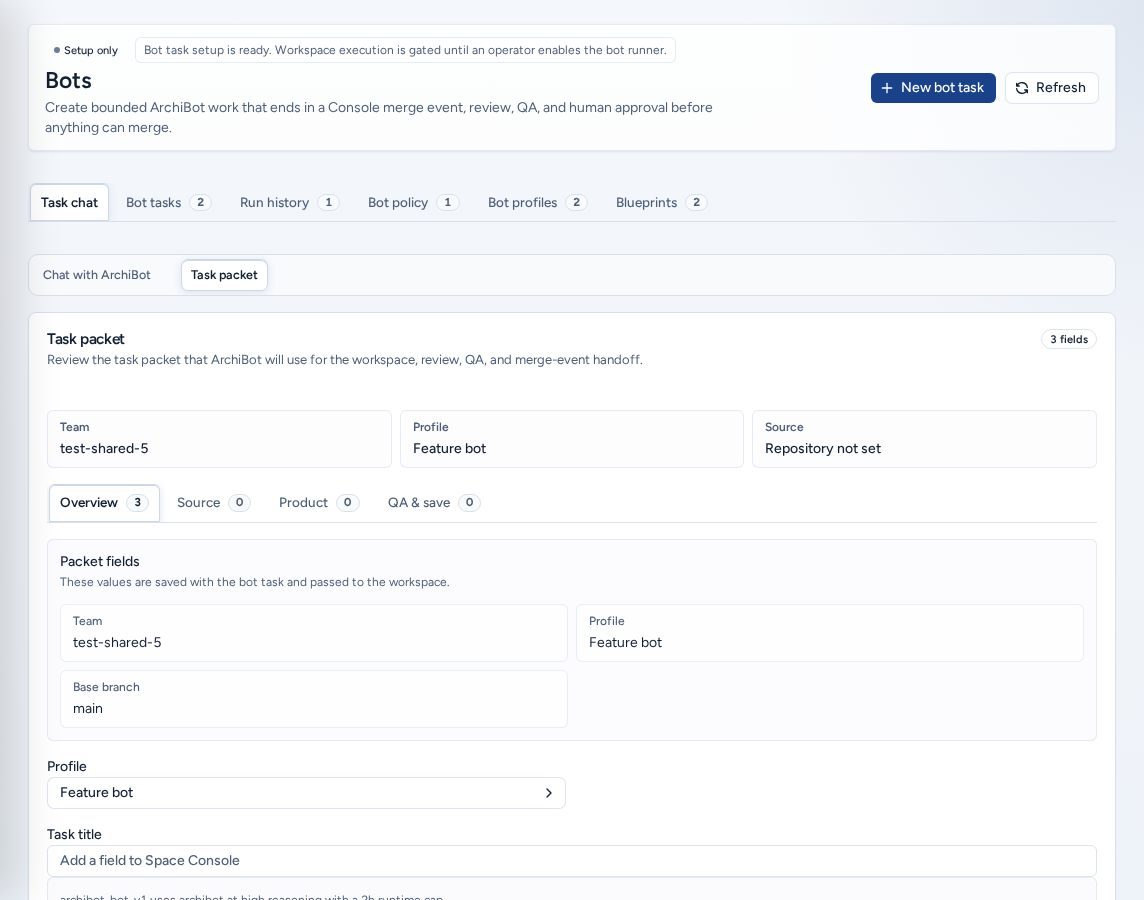
Bots (/bots) turns a bounded, well-described change into ArchiBot work: “Create bounded ArchiBot work that ends in a Console merge event, review, QA, and human approval before anything can merge.” A bot task records the repository and branch, the paths the bot may touch, and the QA notes that prove the change.
Saving a task never merges code. Until execution is enabled for the team, a Setup only badge shows and tasks are reviewable records only. With Workspace handoff enabled, Console still checks the policy, profile, blueprint, concurrent-run limit and monthly budget before any workspace starts.
Who can see it
- Team admins draft and manage bot work for their team.
- Platform operators and platform admins do the same for any team, and manage the Bot policy, Bot profiles and Blueprints that gate execution.
- Team members don’t see Bots. Ask a team admin to draft the task.
The tabs
| Tab | What it holds |
|---|---|
| Task chat | The chat builder and the task packet for the draft. |
| Bot tasks | Drafted and finished tasks with their review, QA, logs and approval state. |
| Run history | Run requests, with their runner, activity and sanitized logs. |
| Bot policy | The team switch and the limits that gate execution. |
| Bot profiles | Profiles that set the worker template, reasoning and limits. |
| Blueprints | The fixed workflow templates and whether each is enabled for the team. |
Shape a task in chat
- Choose New bot task, or stay on Task chat → Chat with ArchiBot.
- Describe what needs to change, what counts as done and how QA should prove it. Starters help: Acceptance criteria, QA plan, Add evidence and Narrow scope.
- Type in Message ArchiBot and send. Each reply updates the QA notes and may suggest a title or scope.
- Open Task packet to see what was captured: the team, profile and source, then the Overview, Source (Repository, base branch, Path scope), optional Product (Add dependent product repository) and QA & save tabs.
- Choose Save draft (setup-only teams) or Start bot (handoff enabled). It stays disabled until the title and required fields are set. Operators choose the team first.
Keep tasks specific. “Add a field to Space Console” with acceptance criteria works. “Fix the app” doesn’t.
Bot tasks and runs
Bot tasks lists every task. Cancelling a task keeps its audit record and sets it to canceled rather than deleting it.
Run history lists run requests, with Run detail showing the mode, branch, runner job, activity timeline and sanitized logs. When a merge event exists, Open merge request links to it. A person approves and merges in CI & Review.
Bot policy (operators)
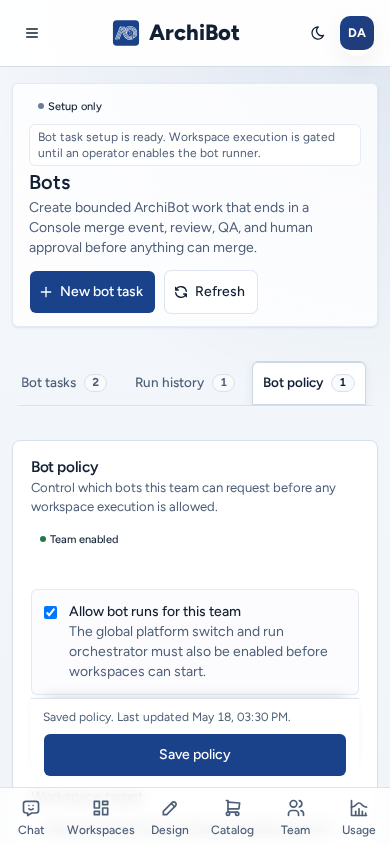
Bot policy decides whether a team can run bots, and shows Team enabled or disabled:
- Allow bot runs for this team. The platform switch and run orchestrator must also be on.
- The default profile and workspace target for new runs.
- The monthly bot budget and concurrent runs, with presets.
- Log and artifact retention, workspace cleanup after runs, and artifact handling (for example, archiving to Shared Drive).
- The blueprints this team may use.
Choose Save policy.
Bot profiles (operators)
On Bot profiles, choose the team, then New profile. Set the name, the blueprint and a description of what it may change. Turn on Make this profile selectable, then set the workspace target, template, reasoning effort, runtime cap, budget, concurrent runs and tool allowlist. Choose Save profile.
Blueprints (operators)
Blueprints lists the fixed workflows (managed feature, fix and docs), each with its review model, QA step, runtime cap and file budget. Enable for team / Disable for team controls which ones the team may use. Enabling a blueprint doesn’t start any work.
On a phone
- The six tabs scroll sideways, and every control has a full-size tap target.
- Save policy and Save profile stay pinned to the bottom of the screen while you edit.
- In Task packet, the QA & save row with Save draft stays pinned to the bottom of the screen while it is on screen.
- Day and number presets are full-size buttons.
Safe content
Never put passwords, API keys, cookies, invitation links, webhook secrets, repository tokens, database URLs, raw logs or customer data in a task, QA note, profile or blueprint. Repository URLs, branch names, issue references, path scopes and visible Console errors are fine.
Related guides
Done When
- The task title, repository, branch, path scope and QA notes contain no secrets.
- Bot execution is enabled by team policy and ISM before you expect a workspace or merge event.
- A person still approves and merges from CI & Review.