


Workspaces
Workspace presets
Workspace presets are not a separate surface. /presets opens Create Workspace; repeat a known-good launch shape through the Create checklist and keep secrets out of anything you save.
Last updated
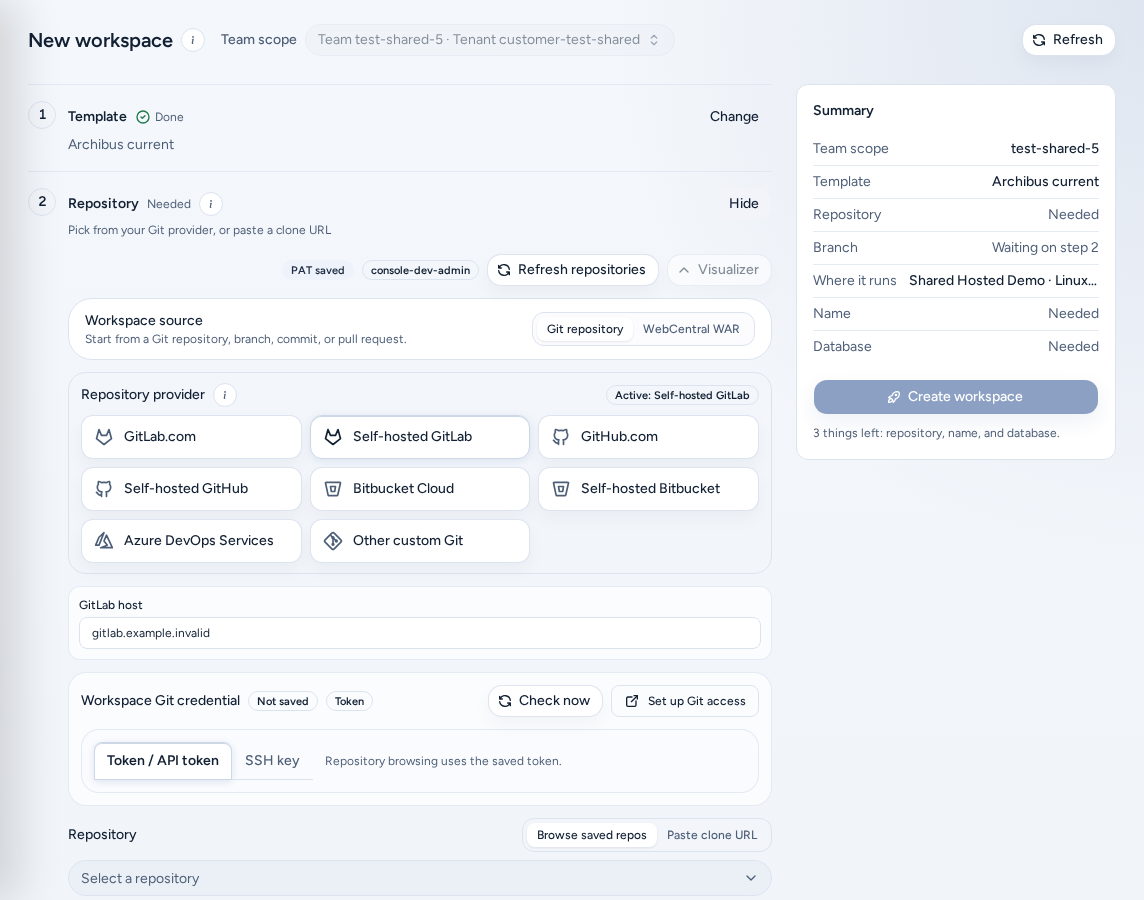
Workspace presets aren’t a separate Console page, and the saved-preset library in Create is turned off. There is no Presets item in the navigation. Old links and bookmarks to /presets (or /create?panel=presets) open Create Workspace.
This page stays published so older links still land somewhere useful.
Who this applies to
Everyone who creates workspaces: team members, team admins, and platform operators and admins.
Where launch settings live now
Everything a preset used to hold is in the Create checklist (Create a workspace):
| A preset used to hold | Set it now in |
|---|---|
| Template family | Template |
| Repository, branch or pull request | Repository and Branch, commit or merge request |
| Runtime and cloud target | Where it runs |
| Database type and backup | Database |
| Schedule, toolchain and integrations | More options |
Repeat a known-good launch
- Write down the template, repository, branch strategy, target, size, database and backup that worked. Team admins can publish this as a team runbook.
- Open New workspace and set the same values step by step.
- Enter tokens, private keys and provider credentials fresh at launch. Better still, connect them once in Settings so Create reuses them.
- Choose Create workspace.
To make a backup the default for a repository, link it in Backups. Create then suggests it automatically.
Keep secrets out
Treat any launch shape you record as structure only. Never include personal access tokens, SSH private keys, provider secrets, payment details or invitation links.
On a phone
/presets opens Create, which works on a phone: a single-column checklist with Create workspace pinned to the bottom of the screen. See Create a workspace.
Related guides
Done When
- There is no Presets entry in the Console navigation.
- Opening /presets takes you to Create Workspace.
- Tokens and private keys are entered at launch time, never saved in a launch shape.