


ArchiBot 文件
工作區、聊天、API 金鑰、計費與支援指南。
選擇符合您帳戶的角色或產品領域,以進入正確的起始指南。這些頁面涵蓋 Console 工作區與獨立的 ArchiBot Chat,並提供安全的支援交接規則。
熱門指南
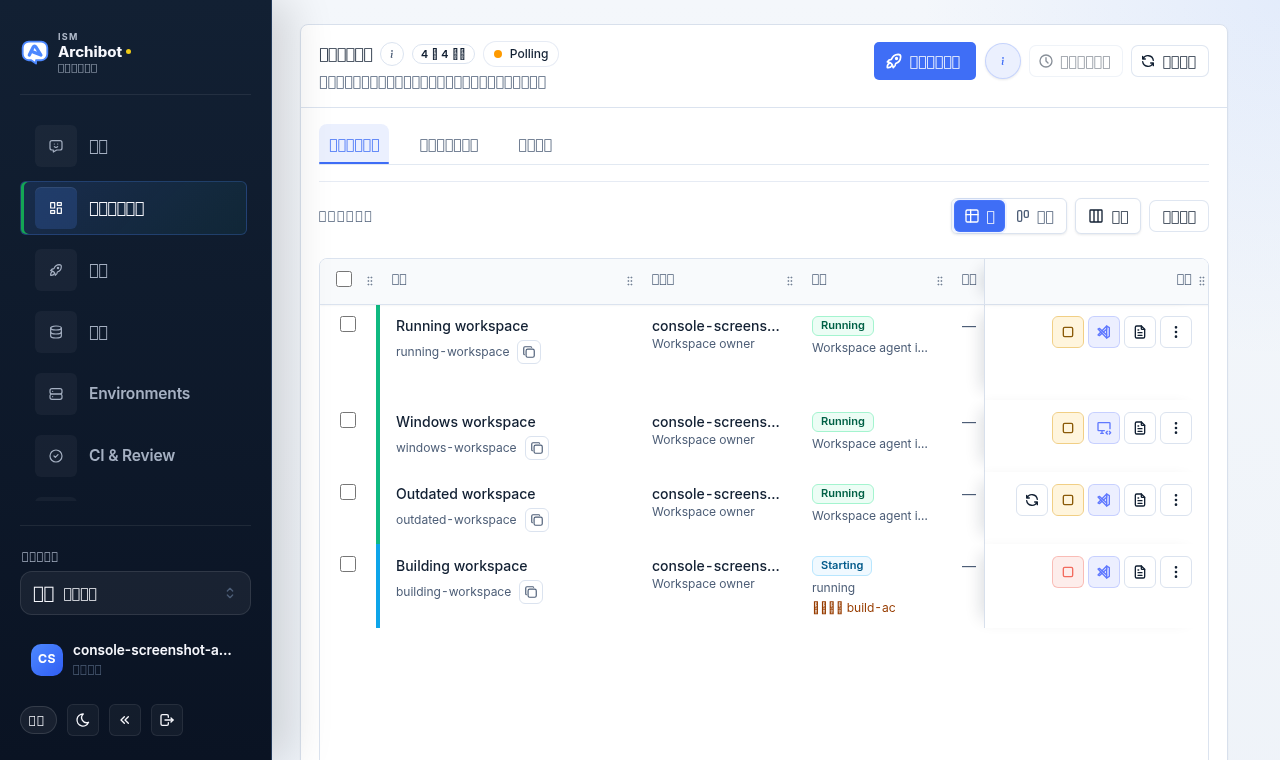
客戶管理員設定 使用帳戶設定確認團隊、邀請成員、提交 SSO 詳細資料、連結 Git、檢查帳單和工作區目標,並啟動第一個工作區。 客戶管理員 建立工作區 連結 Git(或從 WebCentral WAR 開始)、完成工作區設定步驟檢查清單,並建立工作區。 工作區入門 管理工作區 使用我的工作空間尋找、啟動、停止、開啟、更新、排程、檢查及刪除工作區,並了解工作區連結的用途。 日常工作 持續性環境與 CI & Review 建立長期共用環境、設定 CI 審查路徑、使用 QA 證據審查合併事件、在 Console 中合併,並晉級已驗證的候選版本。 審查與晉級 使用量與分析 查看 ArchiBot Credits 中的工作區執行階段、受管理 AI 和平台資源使用量,比較成員與工作區,並設定額度上限。 使用量與額度 ArchiBot Chat 入門 在 Console 中找到 ArchiBot Chat,了解其版面配置,並在首次對話前掌握需要檢查的內容。 ArchiBot Chat ArchiBot Chat API keys Create, copy, and revoke customer-bound generated API keys, and wire an external coworker tool to the public ArchiBot endpoint. API
所有指南 共 43 筆
入門
從這裡開始
客戶管理員指南
團隊管理員指南
工作區指南
工作區指南
- Workspace 預設設定 Workspace 預設設定不是獨立介面。/presets 會開啟 Create Workspace;若要重複使用已知可行的啟動設定,請透過 Create 檢查清單逐項設定,並勿在儲存內容中放入機密。
- 開啟工作區 從 My Workspaces 或工作區連結開啟執行中的工作區,並排解無法開啟的連結。
- 備份與還原來源 使用 Backup Management 上傳資料庫備份、將備份連結至儲存庫,並選取 Create 在新工作區中使用的還原來源。
- 在工作區內工作 在 code-server 中執行的工作區裡你可以使用到的一切:編輯器及其擴充功能、Archibus 應用程式與資料庫、記錄、電子郵件測試、git,以及你的檔案儲存位置。
- Use the ArchiBot VS Code extension Use ArchiBot in VS Code with a managed ArchiBot workspace, with a local Archibus folder, or with no folder open.
- 使用工作區 bot 在 code-server 中啟動 ArchiBot 並讓它開始工作:它對你的 Archibus 環境了解什麼、能做和不能做什麼、可直接使用的提示,以及它與 Console 聊天有何不同。
- Workspace、ArchiBot 與 Shared Drive 在 Console 的六個分頁(Drives、Files、Access、Backups、Capture、Memory)管理 Shared Drive、授予 ArchiBot 範圍限定的存取權、提出分階段還原要求,以及建立團隊雲端硬碟。
帳單與使用量
計費與用量
支援
審查與自動化
審查與自動化
法律
- Privacy policy How ArchiBot collects, uses, shares, and protects personal information for Console, ArchiBot Chat, workspaces, support, and billing.
- End User License Agreement The baseline user terms for accessing ArchiBot Console, ArchiBot Chat, shared-hosted workspaces, managed AI routing, documentation, and related services.
支援
平台營運
ArchiBot Chat
- ArchiBot Chat 入門 在 Console 中找到 ArchiBot Chat,了解其版面配置,並在首次對話前掌握需要檢查的內容。
- ArchiBot Chat setup Open the ArchiBot account section of Settings and finish Setup: confirm access, choose your plan and intended use, set file, API, and notification posture, then save.
- 使用 ArchiBot Chat 在聊天畫面上開啟對話線程、組合上下文來源、附加檔案、儲存提示並閱讀回應。
- ArchiBot Chat 工件 瀏覽您上傳的檔案和 ArchiBot 產生的檔案,預覽詳細資料,附加至聊天,並在不接觸原始儲存路徑的情況下下載或刪除。
- ArchiBot Chat API keys Create, copy, and revoke customer-bound generated API keys, and wire an external coworker tool to the public ArchiBot endpoint.
- ArchiBot Chat billing and credits Review the Universal Archibot Credit wallet used by Chat, generated API keys, workspaces, storage, bots, and CI, then open Product Catalog when you need more credits.
- ArchiBot Chat 存取與 SSO 在單一登入步驟中提交您的身分提供者詳細資訊,以便 ISM 配置組織登入。
- ArchiBot Chat 疑難排解 診斷 Chat、API 金鑰、計費、檔案上傳、SSO 和活動方面的常見問題,然後在提交案件之前收集正確的詳細資訊。
- ArchiBot Chat 活動與稽核 在 Console 活動分頁中檢視帳戶生命週期歷史與通知,以取得可供支援使用且不含原始機密的證據。
- ArchiBot Chat 核准的資料用途 了解哪些資料已核准用於託管的商業版 ArchiBot Chat,以及何時應要求進行企業審查。
- ArchiBot Chat 支援案例 從 Console 發送帳戶範圍的支援請求,並在不暴露機密的情況下附上有用的證據。
- ArchiBot Chat security overview Review customer-visible security controls for access, credentials, credits, artifacts, audit, backups, and data boundaries.
- ArchiBot Chat 子處理方與服務供應商 瞭解託管的商用 ArchiBot Chat 所使用的服務供應商類別。