


Billing
ArchiBot Chat billing and credits
Review the Universal Archibot Credit wallet used by Chat, generated API keys, workspaces, storage, bots, and CI, then open Product Catalog when you need more credits.
最終更新
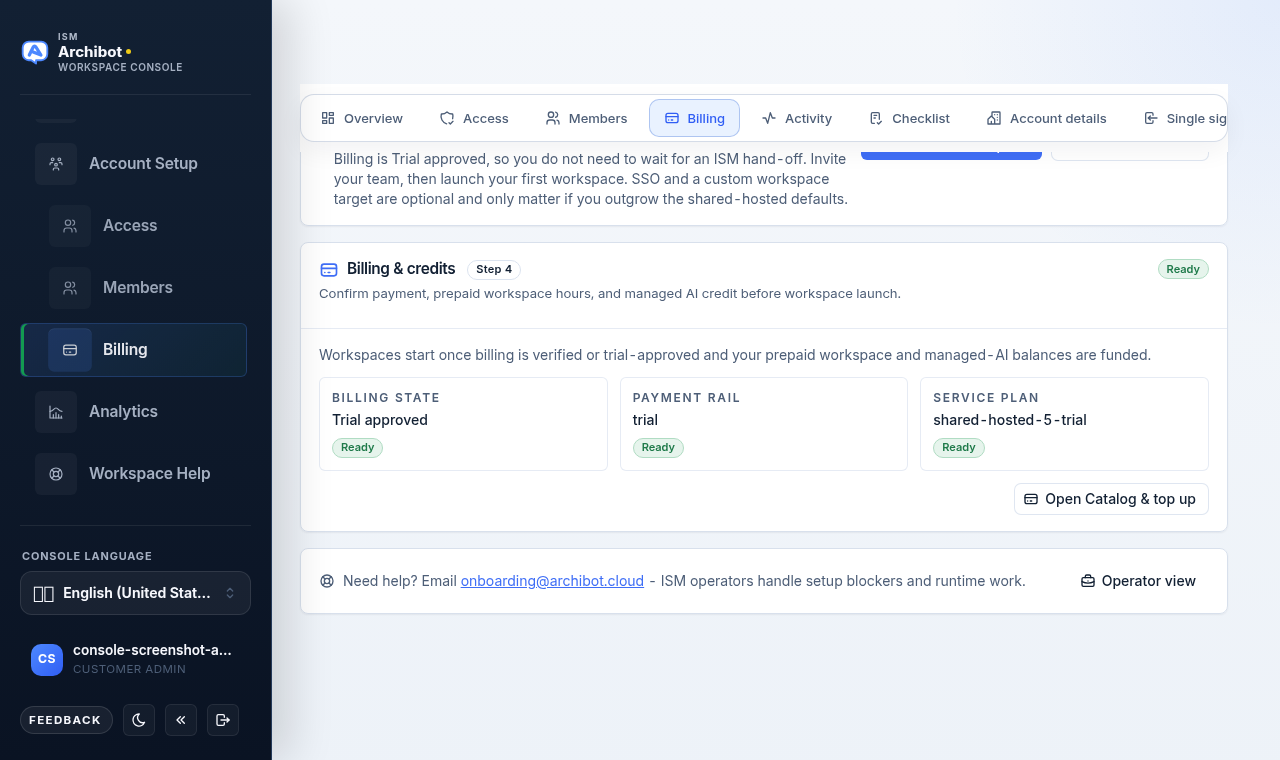
ArchiBot Chat no longer has a separate turn plan or monthly Chat allowance. Browser Chat and generated /v1 API keys reserve and debit the same Universal Archibot Credit wallet used by workspaces, Shared Drive, persistent environments, bots, and CI.
100 Archibot Credits represent $1 of service value. New purchased, trial, promotional, support, migration, and reconciliation lots do not expire.
Open the wallet
- Sign in to Console.
- Open
Chat, then chooseBilling; or openSettings,ArchiBot account, andBilling. - Confirm the customer badge before interpreting or changing anything.
The wallet card shows:
| Field | Meaning |
|---|---|
| Remaining | Funded credits plus any currently available invoice line, after active reservations. |
| Status | credit_v1 when this customer uses the universal wallet. |
| Controls | prepaid or invoice, depending on the customer’s approved payment mode. |
An active reservation temporarily reduces Remaining while a variable-cost operation runs. Capture converts the actual amount into a debit; release returns the hold.
One wallet, several services
The same balance covers:
- Browser Chat model responses.
- Generated-key calls to
/v1/responses. - Workspace runtime.
- Managed AI usage.
- Shared Drive primary and backup storage.
- Persistent environments.
- Bots, CI review, and CI/QA resource events.
Model discovery, wallet reads, key metadata, and previously generated artifact downloads do not create a model-response debit.
A failed preflight does not debit the wallet. A model attempt that reaches the provider but fails may capture a bounded failure amount; inspect the response billing evidence or Activity record rather than assuming every failure is free.
Buy credits in Product Catalog
The Billing screen’s Product Catalog button is the only customer purchase path.
- Confirm the selected customer.
- Open
Product Catalog. - Choose a Universal Archibot Credit pack.
- Review the currency due now and the number of credits the customer will receive.
- Complete Stripe Checkout.
Console grants the non-expiring paid lot only after the signed paid webhook succeeds. Refresh the wallet if the browser returns before webhook processing finishes.
The retired Chat Starter and Team checkout, Chat billing portal, monthly turn grants, and Chat-local budget controls are not purchase or spend paths. Plans may still define access, user limits, support, or commercial terms, but they do not contain a separate wallet.
Prepaid and invoice customers
Prepaid customers spend funded lots. The ledger consumes historical active expiring lots first, then non-expiring lots in grant order.
Invoice customers use the same credit unit. Funded or support lots are consumed first. The approved invoice line supplies the remaining monthly spending authority and resets each UTC month; it is not a grant and does not carry forward.
Customer admins manage spending caps in Console Settings. The old Chat monthly-budget card is retired.
Auto-recharge
Auto-recharge is off by default. When available, enable it only from Product Catalog after reviewing the exact pack, threshold, charge amount, and saved-card warning.
Consent applies only to that configuration. A failed off-session charge disables auto-recharge and triggers recovery handling. Changing the pack or threshold requires fresh consent.
Migration from older Chat credits
An existing customer may briefly show Credit migration required instead of credit_v1. An operator must first freeze the legacy Chat writer and drain in-flight model requests, then:
- Generate a read-only preview of the unexpired legacy Chat balance.
- Verify the explicit legacy-account-to-customer mapping and configured value conversion.
- Apply the reviewed, idempotent migration through the separately authenticated migration service.
- Confirm the non-expiring migration lot in the target wallet.
- Retain the old Chat ledger as read-only audit history.
Already expired legacy value is not revived. Do not buy or spend against both ledgers while migration is pending.
Insufficient credits
When a prepaid wallet cannot cover the reservation, Chat or /v1/responses returns a payment-required error before the model operation starts.
- Confirm the selected customer.
- Refresh the wallet in case another operation released a hold.
- Open Product Catalog and buy credits, or ask the customer’s billing admin to review the account.
- Retry only after the wallet shows the funded value.
Do not create a second customer or key to bypass a balance or spending-cap decision.
Generated API keys
A generated key is bound to the customer selected when it is created. The validator returns that customer to the Chat service; caller-supplied customer headers cannot redirect the debit.
Keys default to a maximum one-year lifetime, expose the raw value once, and update last used on successful validation. Create a replacement, update the integration, then revoke the old key when rotating credentials.
See ArchiBot Chat API keys for the complete key workflow.
Related guides
- ArchiBot Chat getting started
- ArchiBot Chat setup
- ArchiBot Chat API keys
- ArchiBot Chat troubleshooting
- ArchiBot Chat support cases
完了の条件
- The selected customer is the account you intend to fund or use.
- The wallet reports billing model credit_v1.
- Enough Archibot Credits or approved invoice-line authority are available for the next operation.